Ad budget & profit control platform
Every ad budget. One source of truth.Decisions backed by evidence.
Valkiria connects your ad accounts, analytics and website, shows where budget leaks and turns findings into an action plan your team approves. Start with a free website check.

Illustration of the workflow. No live account data.
Which channels do you want to review?
- Google AdsReview search terms, spend and conversion data
- Meta AdsReview campaign delivery and creative performance
- TikTok AdsReview campaign and ad performance
- Connections read your data; they never change campaigns on their own
- Every recommendation waits for a person to approve it
- Interface, reports and AI replies in nine languages
The website check is free. Connected-account and AI features depend on your plan and available data.
Ad platforms in the catalog
Platform catalogueAvailability of each integration depends on your plan and on the account you connect.
Scroll to see it work
From five dashboards to one decision
- 01Scattered
Spend sits in separate accounts, each with its own numbers and its own blind spots.
- 02Connected
Valkiria connects them read-only and lines everything up in one workspace and one currency.
- 03Found
The evidence layer shows where money leaks and why, with the source of every finding.
- 04Approved
You get a short plan. Live edits stay off until you switch them on for an account.
01ONE CONNECTED WORKSPACE
From scattered tabs to a clear next step.
Explore how the work fits together. Choose a stage to see what comes next.
Start with what you already have.
Bring in your website and connect an available ad account. Your data remains tied to its client, project and source.
See the evidence behind the question.
Review available metrics and website findings. Missing data stays visible, so a gap is never mistaken for a result.
A plan you can actually work through.
Review suggested next steps for a client or project. You decide what to approve and what needs more investigation.
Illustration of the workflow. No live account data. Pick a stage or keep scrolling. The recording follows.
Start my free checkWho gets what
What each type of client takes away
Same connected data, four ways to put it to work. Pick your role to see the benefits and the modules that deliver them.
What you connect
- Ad accounts
- Analytics
- Website
- Bank & invoices
What Valkiria does
- 01Collect spend and results
- 02Find leaks and gaps
- 03Propose next steps
What you get
- Action plan
- Owner report
- Spend control
See every ad budget and what it returns, without opening five dashboards
Google, Meta, TikTok and the rest in one view, in your currency, with results next to costs.
Findings turn into a prioritised list of next steps with the evidence behind each one.
New campaigns are created paused. Edits to live campaigns stay off until you switch them on for an account; deletions and new spend always wait for approval.
Modules that do the work


02The problem
Advertising runs in silos. Budget leaks between them.
Teams switch between dashboards, finance sees spend late and nobody owns the full picture.
Scattered ad accounts
Campaign data is split across platforms, so teams lose time switching tools instead of improving results.
Unclear budget impact
Spend grows faster than insight when finance, analytics, and campaign status are tracked separately.
Manual optimization
Teams still pause ads, move budgets, and compare creatives by hand, which slows down every test.
Slow client reporting
Reports take hours to assemble, and important changes are often noticed after budget has already been spent.
03Modules
One workspace. Every marketing job.
Each module works on the same connected data, so nothing is re-entered or exported twice.
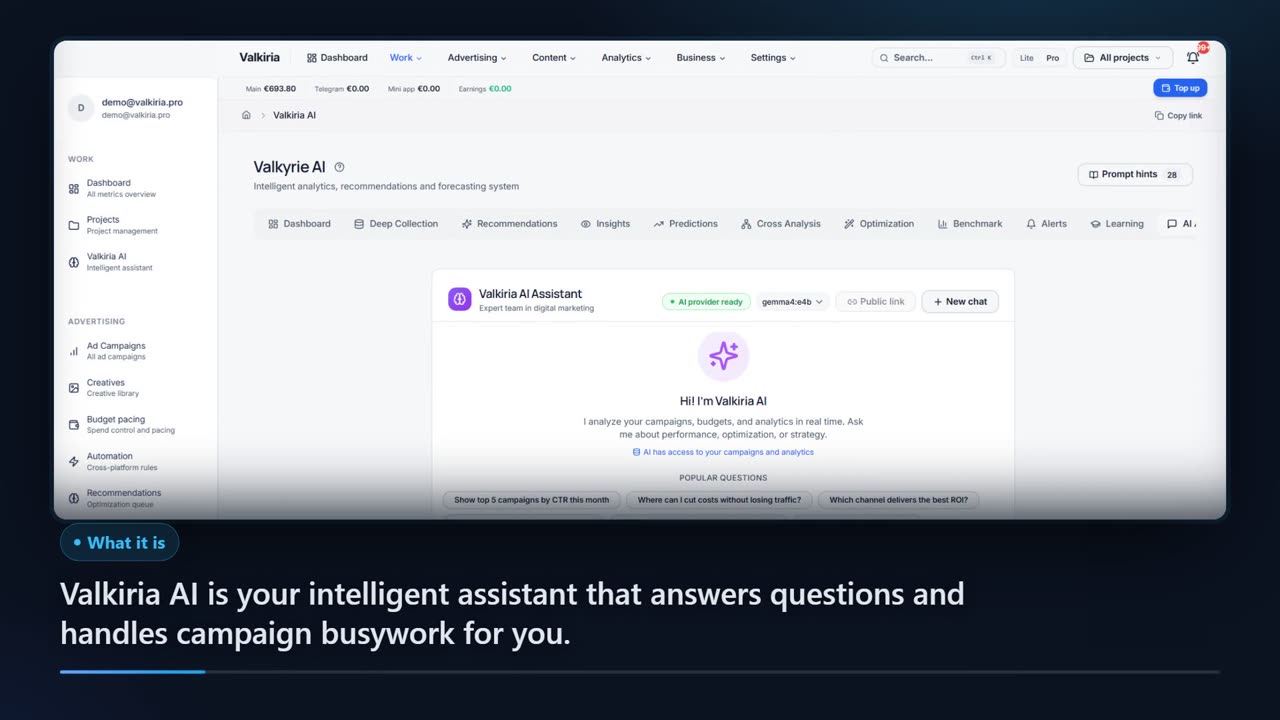
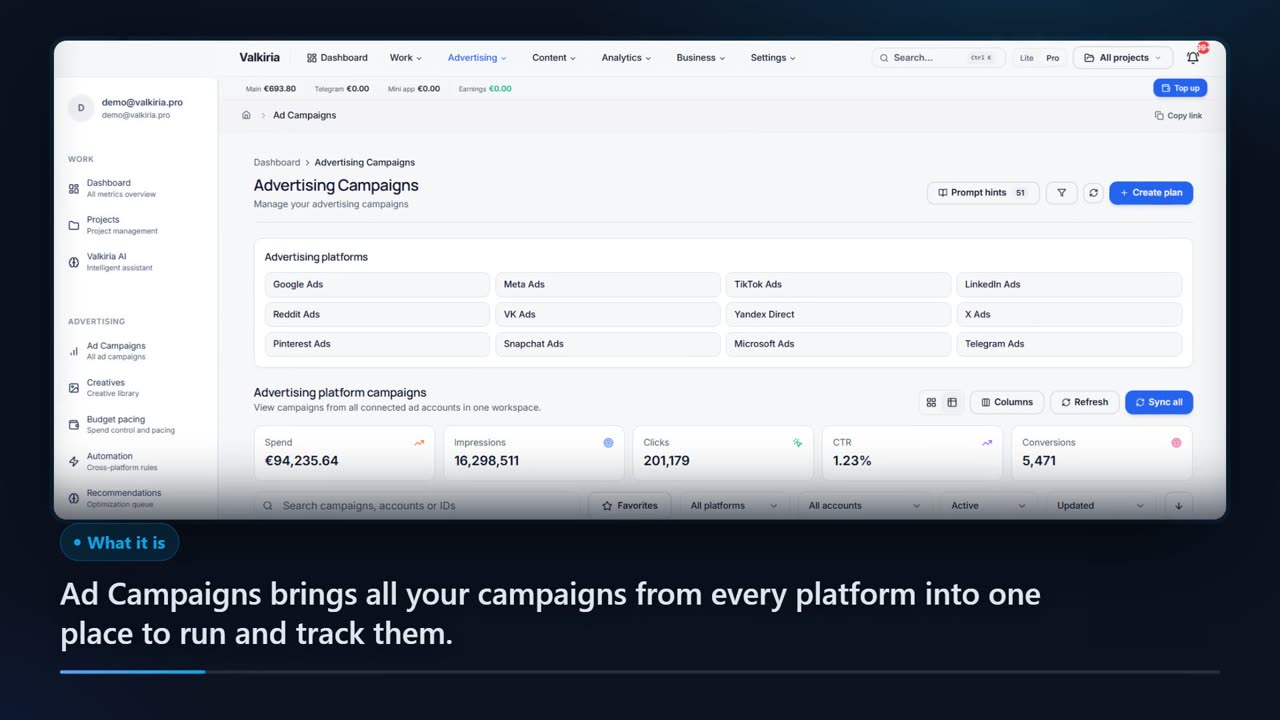
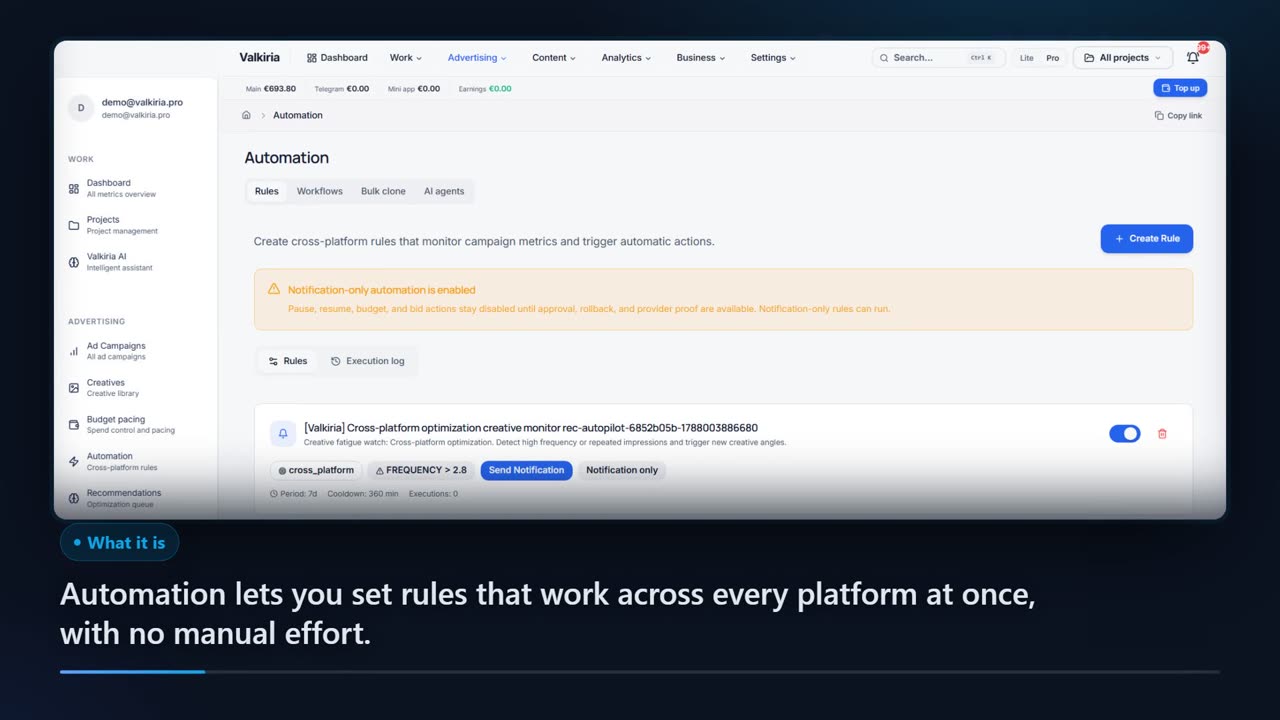
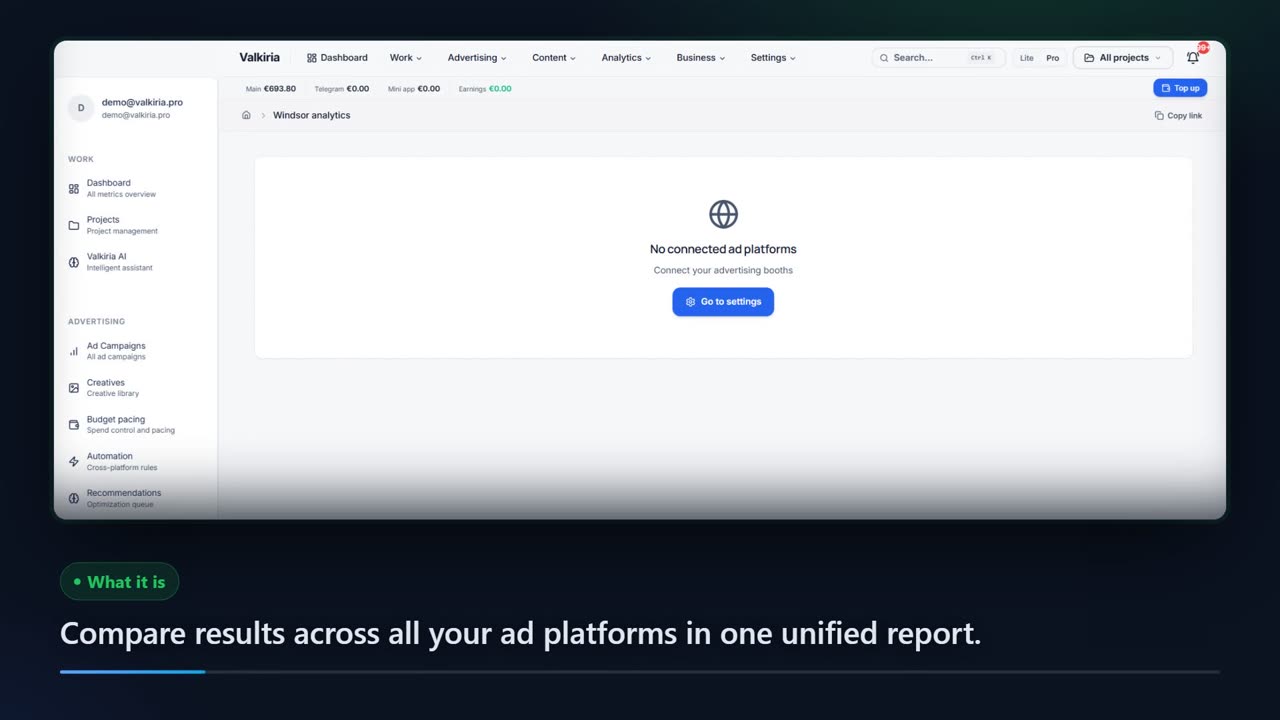
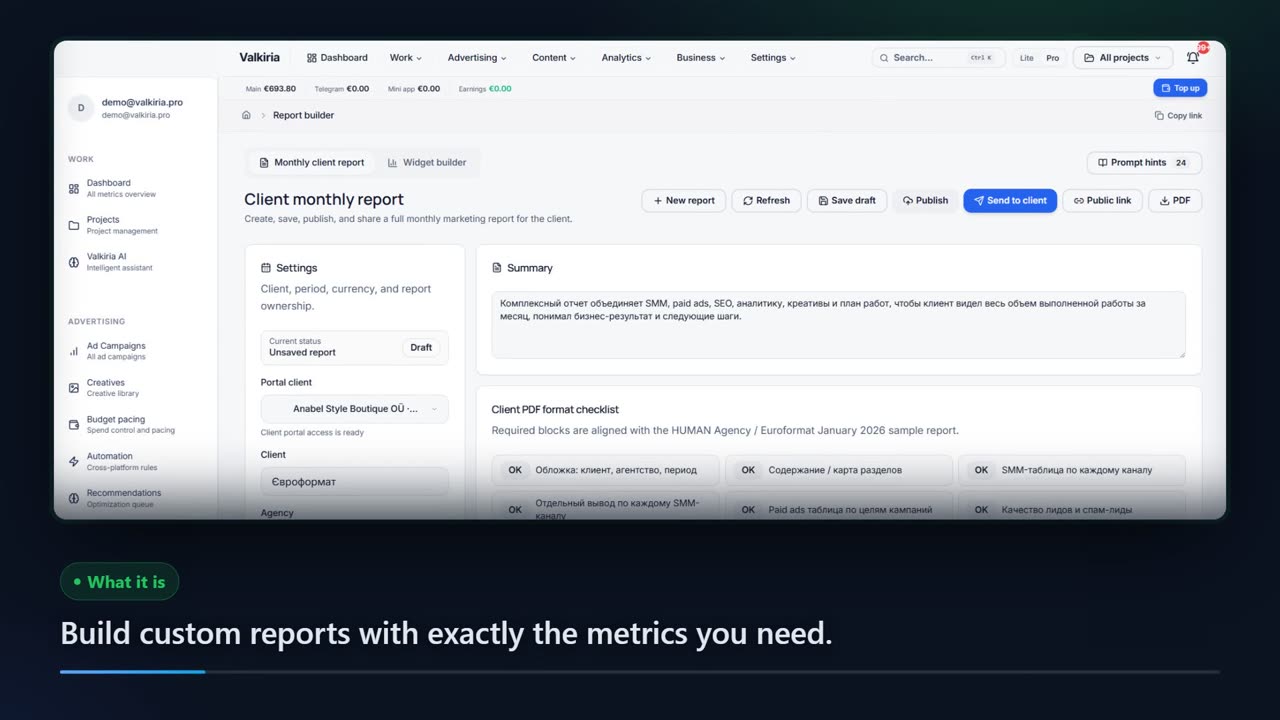
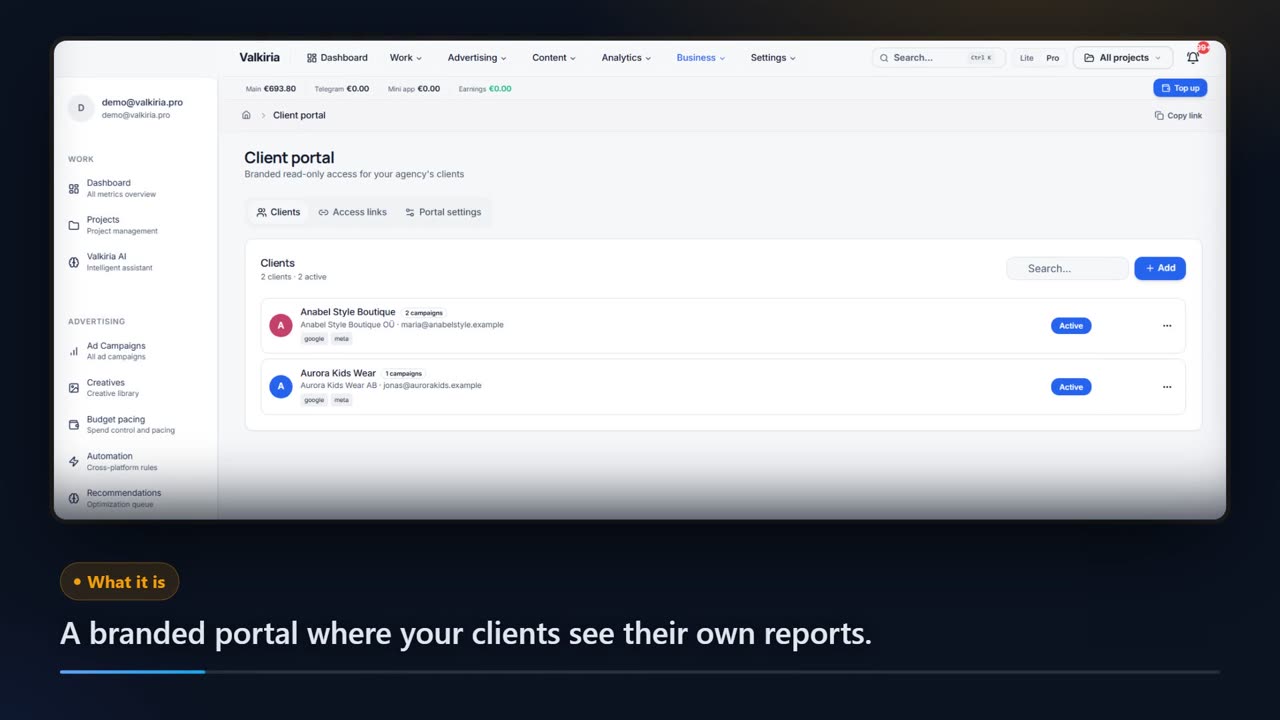
Open a module to see the real screen and what it is for.
04Who it is for
Built for the business owner and for the agency that serves them
The same connected data, two ways of working with it.
For Businesses
- 01
Faster campaign launches
Create campaigns, prepare creatives, and connect tracking without jumping between platform dashboards.
- 02
Budget and access control
Keep balances, permissions, teams, and campaign actions organized in one operational layer.
- 03
Analytics that explain results
See which channels, audiences, creatives, and campaigns actually move revenue.
- 04
Repeatable growth workflows
Turn successful tests into reusable processes for scaling campaigns with less manual work.
For Agencies
- 01
Multi-client management
Run many clients, accounts, teams, and projects without losing context or control.
- 02
Client-ready reporting
Generate clear performance summaries and dashboards that are easy to share.
- 03
Cross-platform optimization
Compare results across ad networks and move attention to the channels that perform.
- 04
Operational visibility
Track work, access, spend, and recommendations across the agency from a single place.
05Trust & control
Designed so you stay in charge
Read-only by default
Connections read account data. Campaign changes happen only after a person approves them.
Your decisions
A recommendation is a proposal, not permission to spend.
Client context
Keep the source, project and available evidence in view.
Periodic plans
Return to a saved plan and follow the next review cycle.
EU company
Operated by a company registered in Slovakia. Data processing is described in the privacy policy.
Your data stays portable
Reports export to CSV and PDF. The API and MCP server expose the same data to your own tools.
06Getting started
How to Get Started with Valkiria
Create your workspace
Set up your account, choose language and currency, and create the first project.
Connect ad platforms
Link the accounts your team uses and keep permissions organized by project.
Add tracking
Install pixels, events, UTM rules, and conversion settings before scaling spend.
Launch and optimize
Create campaigns, review recommendations, and adjust budgets from one dashboard.
Report and scale
Share results, reuse winning workflows, and expand to new channels when performance is stable.
07Questions
Frequently Asked Questions
Everything you need to know about Valkiria
Get started
Your next improvement starts with a closer look.
Start with your website. Connect your accounts when you are ready.